

8 Best Budget Webcams Under Fifty Dollars for Video
Upgrade your video quality without overspending. We review the 8 best webcams under $50, focusing on crisp resolution, easy setup, and reliable performance.
Whether you are juggling remote work meetings in a crowded apartment or trying to stay connected with family across the country, a decent webcam is now a household essential. You don’t need to break the bank to look professional, as many affordable options offer crisp, clear video for daily use. This guide will help you navigate the budget market to find the perfect camera for your specific home setup.
Logitech C920s Pro: Best Overall Budget Choice


If your home office is a shared space, like a kitchen table or a corner of the bedroom, you need a camera that works reliably every single time. The Logitech C920s Pro has been the gold standard for years because it offers a consistent 1080p image without the headache of complex software.
It features a physical privacy shutter, which is a must-have for renters or families who want peace of mind when the camera isn’t in use. The autofocus is snappy, meaning you won’t have to fiddle with settings while your boss is waiting for you to start your presentation.
Bottom line: If you want a "set it and forget it" device that balances durability with image quality, this is the most reliable investment you can make.
NexiGo N60 1080P: Best Value for Home Offices
Capture crisp 1080p HD video with the NexiGo N60 webcam, featuring a built-in noise-canceling microphone for clear audio. Its plug-and-play design ensures easy setup across various devices, and the included privacy cover offers added security.

For those who need a no-frills camera for daily Zoom calls, the NexiGo N60 is an excellent choice that keeps your workspace clutter-free. Its small, foldable design makes it ideal for people living in smaller homes where storage space is at a premium.
The camera offers a wide-angle lens, which is great if you have a partner or child sharing the frame with you during a video chat. Because it is plug-and-play, you won’t need to spend an hour downloading drivers or configuring settings just to get started.
The tradeoff here is that the low-light performance is just average, so make sure your workspace is well-lit. It is a practical, thrifty solution for anyone who needs to upgrade from a grainy laptop camera without overspending.
Microsoft LifeCam HD-3000: Best Reliable Entry

Sometimes you just need a straightforward tool that gets the job done without any bells and whistles. The Microsoft LifeCam HD-3000 is a classic, entry-level option that is perfect for students or casual users who only need to hop on a call once or twice a week.
While it only captures 720p video, the color reproduction is surprisingly natural, making it look better than many modern, built-in laptop cameras. It is compact enough to sit on top of a thin monitor or tuck away into a drawer when you’re done for the day.
While it lacks the high-definition crispness of more expensive models, its durability and ease of use make it a staple for home offices on a strict budget.
Razer Kiyo Webcam: Best for Streamer Lighting
If your desk is tucked into a dark corner of the house or you find yourself working in a room with poor overhead lighting, the Razer Kiyo is a game-changer. It features a built-in ring light that you can adjust manually to brighten your face instantly.
This is particularly helpful for those who don’t have the space or the budget for professional studio lights. The light is integrated directly into the camera housing, so it doesn’t take up any extra room on your desk.
Keep in mind that the light is designed for close-up use, so it works best when you are sitting directly in front of the monitor. It is a clever, space-saving solution for anyone who struggles with shadows in their video calls.
Papalook PA930: Best Budget 2K Resolution Pick
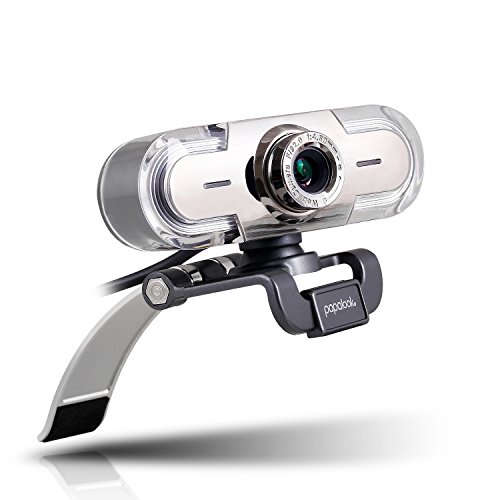
If you are looking for a bit more detail and sharpness, the Papalook PA930 offers 2K resolution at a price point that is hard to beat. This higher resolution can make a noticeable difference if you are using a large monitor or a high-resolution laptop screen.
The camera also includes a dual-microphone setup, which helps capture your voice more clearly in a busy household. If you live with roommates or family members, the noise-reduction feature can help keep your audio focused on you rather than the background noise.
It is a slightly larger unit, so ensure you have a stable monitor stand or a flat surface to clip it onto. It is a fantastic choice if you want to prioritize image clarity above all else.
Creative Live! Cam Sync: Best Compact Design
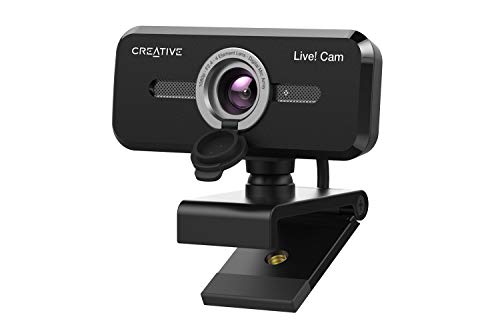
For the minimalist who hates seeing bulky tech on their desk, the Creative Live! Cam Sync is remarkably unobtrusive. It is incredibly slim and low-profile, making it an excellent fit for those who work in shared living spaces where you want your tech to blend in.
The camera features a 360-degree rotation and a 30-degree tilt, giving you plenty of flexibility to adjust your angle without moving your monitor. It is also very lightweight, making it easy to throw in a bag if you need to take your work on the road.
Because of its compact size, it doesn’t have the high-end sensors found in larger models, but it is more than sufficient for standard video conferencing. It is the perfect balance of aesthetic appeal and functional utility.
Vitade 960A Pro: Best for Built-in Ring Light

The Vitade 960A Pro is another fantastic option for those who need extra illumination without buying separate equipment. It features a built-in ring light with three different brightness levels, which you can toggle to match the natural light in your home.
This camera is particularly useful for people who work in basements or rooms with limited natural window light. The clip is very sturdy and fits well on both thin laptop screens and thicker desktop monitors.
While the ring light is a huge benefit, remember that it consumes more power, so ensure your computer’s USB port can handle the load. It is a highly practical choice for anyone who wants to look their best on camera without needing a complex lighting setup.
Amcrest 1080P Webcam: Best Budget Privacy Pick
Privacy is a top concern for many households, especially those with children or shared spaces. The Amcrest 1080P Webcam stands out because it comes with a dedicated, sliding privacy cover that is built right into the frame.
This ensures that you never have to worry about whether your camera is on when it shouldn’t be. The video quality is solid, providing a sharp 1080p image that works well for both business meetings and social calls.
It is a robust, well-built device that feels sturdier than many other budget cameras in this price range. If you value security and peace of mind, this is an excellent, no-nonsense choice.
Essential Features to Check Before You Buy
- Resolution: 1080p is the standard for crisp video, while 720p is acceptable for basic calls.
- Mounting Options: Check if the clip fits your specific monitor, or if the camera has a tripod mount for more flexibility.
- Privacy Features: Look for a physical shutter or cover to protect your privacy when the camera is not in use.
- Microphone Quality: If you don’t have a headset, prioritize a camera with built-in noise-canceling microphones.
- Cable Length: Ensure the cord is long enough to reach your computer tower or dock without being pulled tight.
Tips for Improving Your Webcam Video Quality
First, always prioritize lighting by placing a light source in front of you, not behind you. If you don’t have a ring light, a simple desk lamp aimed at a wall in front of you can create a soft, flattering bounce light.
Second, consider the height of your camera. You want the lens to be at eye level, which might require propping your laptop on a stack of books or using a small stand. This prevents that unflattering "looking down" angle that often occurs with standard laptop placements.
Finally, keep your lens clean by wiping it gently with a microfiber cloth before important calls. It is a simple habit that makes a massive difference in the clarity of your video.
Investing in a budget webcam is a smart way to upgrade your home setup without overspending on unnecessary features. By focusing on your specific lighting needs and space constraints, you can find a reliable device that makes your daily communication much smoother. Choose the model that fits your lifestyle, and you will be ready for any meeting or video call that comes your way.
