

7 Best Photo-quality Ink Cartridges for Scrapbooking
Preserve your memories with our top 7 photo-quality ink cartridges. Discover vibrant, fade-resistant options perfect for archival-grade scrapbooking projects.
Creating a physical scrapbook is one of the most rewarding ways to preserve family history, but the quality of your ink determines whether those pages stay vibrant or fade into history. Choosing the right cartridge is about balancing color accuracy with the long-term stability of your precious photos. This guide will help you navigate the technical jargon to find the perfect ink for your home printing setup.
Canon ChromaLife100: Best for Vibrant Portraits


If you are printing close-up family portraits or candid shots of children, you want skin tones that look natural rather than washed out. The Canon ChromaLife100 system is specifically engineered to provide a wide color gamut that makes faces pop on the page.
Because these inks are dye-based, they absorb beautifully into high-quality glossy photo paper. This results in a smooth, professional finish that mimics the look of traditional lab-developed prints.
While these cartridges are excellent for portraits, keep in mind they are not as resistant to water as pigment inks. If you live in a humid apartment, ensure your finished scrapbook pages are stored in archival-safe plastic sleeves to prevent moisture damage.
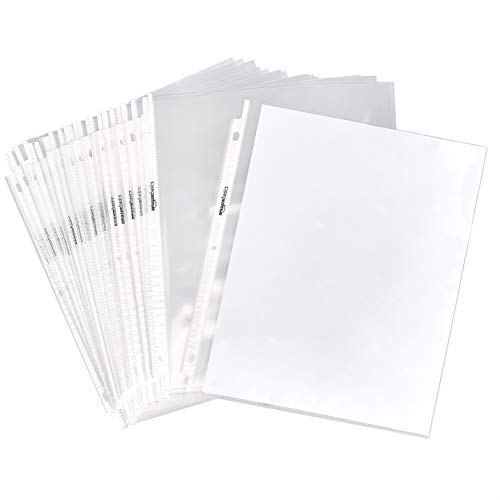
Protect and organize your 8.5 x 11-inch documents with this 100-pack of clear, heavyweight polypropylene sheet protectors. Featuring a durable, acid-free construction and easy top-load access, these protectors fit any standard 3-ring binder.
HP 67XL High-Yield: Ideal for Sharp Text & Photos
For the busy household that uses one printer for both school projects and scrapbooking, the HP 67XL is a workhorse. It manages to balance crisp, dark text for journaling with enough color saturation to handle casual photo printing.
The "XL" designation is a lifesaver if you have a large family and don’t want to run to the store every time you finish a layout. These high-yield cartridges offer a lower cost-per-page, which is a significant benefit when you are printing dozens of photos for a multi-page album.
Just remember that high-yield cartridges take up the same footprint as standard ones, making them perfect for small home offices or desk nooks. They are a practical, middle-of-the-road choice that prioritizes convenience without sacrificing too much quality.
Epson Claria Ink: Best for Long-Lasting Memories

If your primary goal is to create a scrapbook that your grandchildren will flip through decades from now, Epson Claria ink is a top contender. It is designed specifically for longevity, resisting the effects of light and ozone that usually cause colors to shift over time.
This ink system is a hybrid, often combining the deep, rich blacks of pigment ink with the vibrant color range of dye inks. This makes your scrapbook pages look sharp and professional while ensuring the images don’t lose their luster after a few years on the shelf.
While these cartridges can be a bit pricier than generic alternatives, the investment is worth it for heirloom-quality projects. Treat this as a long-term insurance policy for your most important family milestones.
Brother Innobella: Superior Color for Scrapbooks

Brother printers are often chosen for their reliability in home offices, and the Innobella ink line is the secret to their success in the scrapbooking world. This ink is formulated to prevent "clogging," which is a common headache for those who only print in bursts.
The color accuracy is particularly impressive for landscapes and outdoor vacation photos. If your scrapbook is filled with beach trips or mountain hikes, this ink captures the subtle gradients of the sky and water with impressive fidelity.
Because it dries quickly on the page, you won’t have to worry about smearing your work as you assemble your layouts. It is a fantastic choice for the impatient crafter who wants to move from printer to album as fast as possible.
Kodak Premium Pigment: Best for Glossy Finishes
Pigment-based inks are the gold standard for durability, and Kodak’s premium options excel at sitting on top of the paper rather than soaking in. This creates a brilliant, glossy finish that makes your photos look like they were printed yesterday.
This ink is particularly resistant to smudging, which is a huge advantage if you have a busy household with pets or young children who might accidentally touch your pages. It stands up well to frequent handling, making it ideal for scrapbooks that are meant to be looked at often.
However, pigment ink can sometimes be more prone to drying out in the print head if the printer sits idle for long periods. If you don’t print every week, be sure to run a quick test page to keep the ink flowing smoothly.
HP 952XL: Professional Quality for Photo Albums
The HP 952XL cartridges are designed for users who treat scrapbooking as a semi-professional hobby. The color density is higher than standard cartridges, providing a depth of field that makes images look three-dimensional on the page.
These are perfect for large-format albums where you want the photos to be the centerpiece of the design. They handle high-contrast images, such as black-and-white photos or dramatic sunset shots, with remarkable clarity.
While these cartridges require a slightly higher initial investment, the quality output often eliminates the need for expensive third-party printing services. For a homeowner looking to consolidate their printing needs into one machine, this is a premium, reliable solution.
Canon Pixma CLI-281: Top Choice for Deep Blacks
Nothing ruins a scrapbook page faster than a "black" that looks more like a dark, muddy grey. The Canon Pixma CLI-281 system uses a dedicated photo black ink that ensures your shadows are deep, rich, and perfectly defined.
This is essential for high-contrast scrapbooking styles, such as modern, minimalist layouts with stark white backgrounds and bold, dark elements. The contrast makes your photos look crisp and intentional.
Because this is a multi-cartridge system, you only need to replace the color that runs out. This is a huge money-saver for the frequent scrapbooker who might use a lot of blue for skies but very little yellow.
How to Select Ink for Archival Scrapbook Pages
When selecting ink, you must look for the term "archival quality" or "pigment-based" on the packaging. Pigment inks are generally more lightfast and resistant to environmental pollutants than dye-based inks, which is critical for items stored in boxes or on bookshelves.
Consider the environment of your home when choosing. If you live in a sunny house with lots of natural light, your priority should be UV-resistant ink formulas.
- Check the manufacturer’s specs: Look for longevity ratings (often measured in years).
- Test on your paper: Ink behaves differently depending on whether you use matte, glossy, or luster paper.
- Avoid third-party "bargain" inks: These often lack the chemical stabilizers found in name-brand inks, which can lead to rapid fading.
Tips for Preventing Fading in Photo Scrapbooks
Even the best ink will eventually fade if exposed to harsh conditions. The biggest enemy of a scrapbook is direct sunlight, so keep your finished albums away from windows and skylights.
Climate control is equally important. Avoid storing your scrapbooks in attics or basements, where extreme temperature fluctuations and humidity can break down the chemical bonds of the ink and the paper.
- Use acid-free sleeves: These act as a barrier against oxygen and pollutants.
- Store albums vertically: This prevents pressure from damaging the pages over time.
- Use a desiccant: If you live in a humid climate, keep a small silica gel packet in your storage box to absorb excess moisture.
Essential Maintenance for Crisp Photo Printing
To keep your photos looking their best, you must keep your printer’s nozzles clear. If you haven’t printed in a while, run a "nozzle check" pattern before starting a big project to ensure no lines are missing.
Never leave your printer turned off for months at a time. Most modern printers have an "auto-clean" cycle that uses a tiny amount of ink to keep the system primed, which is much cheaper than replacing a clogged print head.
- Keep the printer clean: Dust is the enemy of high-quality prints.
- Use original inks: They are formulated to keep the internal components lubricated and clean.
- Update your drivers: Ensure your computer is communicating the correct color profiles to your printer for the best results.
Selecting the right ink is a balance of your budget, your printer model, and how long you intend for your memories to last. By prioritizing quality over the lowest price point, you ensure that your hard work remains as vibrant as the day you printed it. Take your time, test your materials, and enjoy the process of turning your digital files into lasting family treasures.
