

7 Best HDMI Cables for Blu-ray Players for Clarity
Upgrade your home theater with our top 7 HDMI cables for Blu-ray players. Discover how these picks ensure peak visual clarity and reliable, high-speed data.
We have all experienced the frustration of settling into a movie night, only to be met with flickering screens or lackluster audio. Choosing the right HDMI cable is the unsung hero of your home theater experience, ensuring your Blu-ray player delivers the crisp, vivid picture you paid for. This guide will help you cut through the technical noise to find the perfect cable for your specific setup.
AudioQuest Pearl: Best Overall for Blu-ray Clarity


If you are a movie enthusiast who has invested in a high-end Blu-ray player and a quality television, the AudioQuest Pearl is a reliable step up from standard cables. It features solid long-grain copper conductors that minimize internal interference, which is essential for maintaining a clean signal path.

While it sits at a higher price point than basic cables, the construction quality is immediately apparent. The connectors are tight and secure, which prevents the accidental signal drops that often plague cheaper, loose-fitting alternatives in high-traffic living rooms.
For the average homeowner, this cable strikes a perfect balance between performance and longevity. It is an excellent "set it and forget it" choice for a primary living room setup where you don’t want to worry about hardware issues during a film.
Zeskit Maya 8K: Top Choice for High-Speed Gaming
Many households now use a single entertainment center for both Blu-ray movies and high-end gaming consoles. The Zeskit Maya is built to handle the massive data throughput required for 4K at 120Hz, making it a versatile workhorse.
This cable is particularly useful if you have a modern television that supports advanced gaming features like Variable Refresh Rate. It ensures that your Blu-ray player isn’t the bottleneck when you switch inputs to your console.
Because it is certified for 48Gbps, you are essentially "future-proofing" your setup. If you plan on upgrading your TV or player in the next few years, this cable will likely still be more than capable of handling the signal.
Monoprice Certified Premium: Best Budget-Friendly
You do not need to spend a fortune to get a high-quality picture. Monoprice has built a reputation among homeowners for providing cables that meet strict industry standards without the brand-name markup.
These cables are "Certified Premium," meaning they have been tested to ensure they actually perform at the speeds they claim. For most families, this is the most practical choice for secondary rooms, bedrooms, or guest spaces.
If you are outfitting multiple rooms or working with a tight budget, buying a bulk pack of these is the smartest move. They provide consistent, reliable performance for standard Blu-ray playback without breaking the bank.
Belkin Ultra HD: Reliable Choice for Home Cinema

Belkin is a household name for a reason: they prioritize consistent manufacturing standards. Their Ultra HD cable is designed specifically for high-definition displays, ensuring that the color depth and contrast of your Blu-ray discs remain accurate.
This cable is flexible and easy to route behind a media console or through a wall mount. If you live in an apartment where your media setup is tucked into a tight corner, the physical manageability of this cable will save you a lot of frustration.
It is a solid, middle-of-the-road option that offers peace of mind. You aren’t paying for "audiophile" marketing, but you are paying for a cable that is built to last through years of daily use.
RUIPRO Fiber Optic: Best for Long-Distance Runs

In larger homes where your Blu-ray player might be located in a separate cabinet or across the room from your TV, standard copper cables can lose signal integrity over long distances. Fiber optic cables, like the RUIPRO, solve this by using light to transmit data.
These cables are incredibly thin and lightweight, which makes them ideal for running through baseboards or under rugs. They are immune to electromagnetic interference, which is a major plus if your cables run near power cords or other electronics.
Keep in mind that these cables are directional, meaning one end must go to the player and one to the TV. While they require a slightly higher initial investment, they are the only reliable way to maintain a perfect 4K signal over a long cable run.
Amazon Basics Braided: Most Durable Value Cable
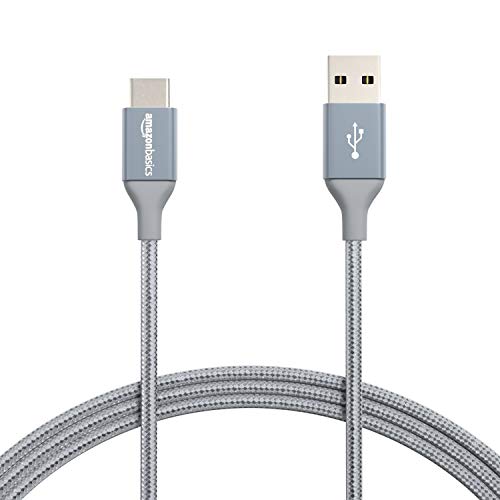
If you have kids or pets, you know that cables in a living room take a lot of physical abuse. The braided exterior of this cable provides a layer of protection against fraying, pet chewing, or accidental snagging during vacuuming.
The reinforced ends are designed to withstand frequent plugging and unplugging. If you are the type of person who rearranges their living room furniture every few months, this cable is built to handle the constant movement.
It is a practical, no-nonsense solution that prioritizes physical durability over exotic materials. It offers the best value-to-durability ratio for a busy household where the entertainment center is a high-traffic zone.
Rocketfish 4K Ultra: Best for Easy Installation

Rocketfish cables are widely available and designed with the average consumer in mind. They feature a slim profile and a flexible jacket that makes them very easy to tuck behind wall-mounted TVs.
The connectors are ergonomically designed, making them easy to grip when you are reaching behind a cramped media shelf. If you struggle with dexterity or have a setup that is difficult to access, this is a very user-friendly option.
These cables are a great "middle ground" purchase. They are more robust than the cheapest options but lack the bulk of premium, thick-jacketed cables, making them the perfect choice for a clean, minimalist look.
Understanding HDMI Versions and Signal Bandwidth
When shopping for cables, you will see terms like "HDMI 2.0" or "HDMI 2.1." Think of these versions as the capacity of a pipe; a higher version simply allows more data to flow through at once.
For standard Blu-ray players, an older HDMI 2.0 cable is often sufficient. However, if you are using a 4K Ultra HD Blu-ray player, you should aim for "High Speed" or "Ultra High Speed" certification to ensure the full dynamic range of the video is preserved.
Don’t be swayed by marketing claims that a cable will "improve" your picture quality beyond the source material. A cable can only transmit the signal accurately; it cannot fix a poor-quality disc or an improperly calibrated television.
Why Shielding Matters for Your Blu-ray Player
Shielding is the internal layer of metal foil or braided wire that protects the signal from external interference. In a crowded home theater, you likely have power cables, Wi-Fi routers, and other electronics sitting right next to your HDMI cables.
Without proper shielding, these other devices can introduce "noise" into your signal, which manifests as sparkly dots on the screen or intermittent audio dropouts. This is especially true if you are using long cables that act like antennas for interference.
When you buy a cable, look for mentions of "multi-layer shielding" or "EMI protection." This is the best insurance policy against the mysterious signal glitches that can ruin a movie night.
How to Properly Manage Your Home Theater Cables
Even the best cable will fail if it is bent at a sharp 90-degree angle or constantly pulled tight. When setting up your Blu-ray player, always leave a little bit of "slack" in the cable so there is no tension on the HDMI port of your device.
Use cable ties or Velcro straps to bundle your cables together, but avoid cinching them so tightly that you crush the wires inside. Keeping your cables organized not only looks better but also prevents them from becoming a tripping hazard or a dust magnet.
Finally, label your cables if you have multiple devices connected to your TV. A simple piece of masking tape on each end can save you hours of troubleshooting time when you eventually need to move your equipment for cleaning or upgrades.
- Avoid sharp bends: HDMI cables have delicate internal wires that can break if forced into tight corners.
- Use cable management: Velcro ties are better than plastic zip ties because they are reusable and won’t cut into the cable jacket.
- Keep it accessible: Ensure your cable ends are reachable without having to move heavy furniture, as you may need to reseat them occasionally.
At the end of the day, the best HDMI cable is one that provides a stable, error-free connection without requiring you to overspend. Focus on getting a cable with the correct bandwidth for your player and sufficient shielding for your specific room layout. With these basics covered, you can stop worrying about the tech and get back to enjoying your favorite films.

