7 Best Battery Charging Timers For Safety To Prevent Overheating
Keep your batteries safe and cool! Discover 7 top charging timers to prevent overheating. Learn more now.
Leaving a phone or tablet plugged into an outlet overnight might seem like a harmless routine, but it often leads to unnecessary heat buildup and reduced battery lifespan. Using a simple timer provides an automated safeguard, ensuring power is cut off once the device reaches a full charge. These affordable tools provide peace of mind by preventing potential fire hazards and keeping utility bills in check.
Century 24-Hour Timer: Best for Simple Nightly Charging
When a bedroom or living room setup requires a “set it and forget it” solution, the Century 24-Hour Mechanical Timer excels. Its circular dial uses easy-to-press pins that represent 30-minute intervals, making it perfect for those who want to charge a tablet while they sleep without overtaxing the battery.
This timer requires no digital programming, which is ideal for anyone who prefers tactile buttons over confusing LCD menus. Once the pins are pushed down for the desired duration, the timer handles the rest automatically every single night.
While it lacks the precision of a digital screen, its simplicity is its greatest strength. Bottom line: It is the most reliable choice for users who want a straightforward, mechanical solution for a consistent nightly routine.
GE Digital Timer: Best for Custom Charging Schedules
For households with irregular schedules, the GE Digital Timer offers the flexibility to set different charging windows for weekdays versus weekends. This is particularly useful for students or professionals whose routines shift throughout the week.
The digital interface allows for minute-by-minute accuracy, ensuring power is cut precisely when needed. It often includes a battery backup, so a brief power flicker won’t reset your carefully programmed settings.
Because it is digital, it can take a few extra minutes to master the initial setup compared to a mechanical dial. Bottom line: It is the go-to option for those who prioritize precision and need a timer that adapts to a fluctuating lifestyle.
BN-LINK Power Strip Timer: Best for Multiple Devices
In a busy home office or a tech-heavy bedroom, a single outlet timer rarely covers every device. The BN-LINK Power Strip Timer solves this by providing multiple timed outlets, allowing the charging of a laptop, phone, and watch simultaneously.
This device functions like a standard surge-protected power strip but includes a programmable timer for all connected ports. It saves significant space by eliminating the need for bulky individual adapters plugged into a wall.
Be aware that these units have a physical footprint that requires adequate floor space near an outlet. Bottom line: This is an essential tool for centralizing multiple charging stations into one safe, automated hub.
Fosmon Countdown Timer: Best for Quick Charging Bursts
If there is a habit of plugging in a device right before leaving the house or heading to bed, the Fosmon Countdown Timer acts as a fail-safe. With the simple press of a button, it provides power for a specific duration—such as 1, 2, or 4 hours—before shutting off completely.
There is no complex programming involved, making it perfect for guests or older family members who need a simple “push-and-go” interface. It is compact enough to fit in a travel bag, ensuring battery safety even when staying in a hotel.
Since it is a countdown-only device, it does not cycle on and off automatically on a daily basis. Bottom line: Use this for short-term charging needs where the primary goal is preventing a forgotten device from remaining plugged in for days.
Woods Heavy-Duty Timer: Best for Garage & Power Tools
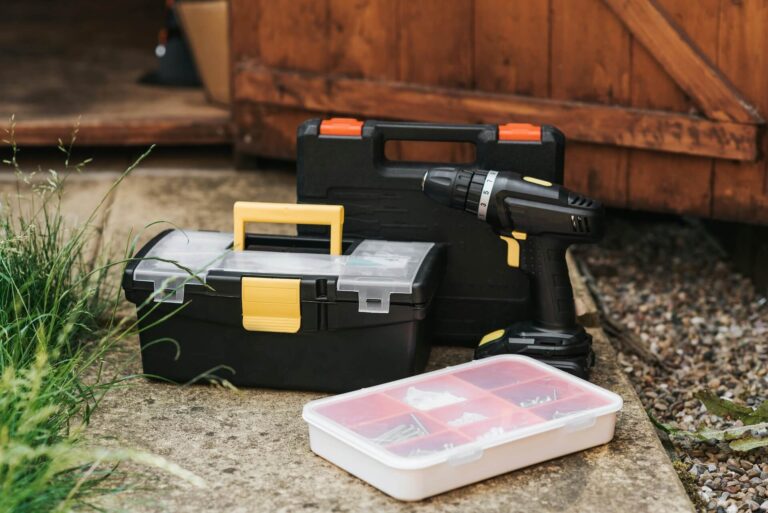
Power tool batteries, like those for drills or saws, often generate significant heat during the charging process. The Woods Heavy-Duty Timer is constructed with a rugged exterior designed to withstand the cooler, dustier environment of a garage or workshop.
It is rated for higher wattage loads than standard indoor timers, ensuring it won’t overheat while managing more demanding battery packs. The controls are simplified and oversized, making them easy to adjust even while wearing work gloves.
These units are typically larger and less aesthetically pleasing than indoor models, so they are best suited for utility areas rather than living spaces. Bottom line: This is the safest, most durable choice for protecting expensive lithium-ion tool batteries from overcharging in a workshop environment.
GE Dual Outlet Digital Timer: Best for Kitchen Counters
Kitchen counters are often the hub of household activity, yet they frequently lack enough outlets for appliances and device charging. The GE Dual Outlet Digital Timer provides two timed ports, allowing for the simultaneous charging of two devices in a high-traffic area.
Its sleek, vertical design hugs the wall, keeping cords organized and preventing the “clutter creep” that often happens near backsplashes. The digital interface is bright and readable, allowing for quick adjustments even under low cabinet lighting.
Because it uses two outlets, ensure the total load does not exceed the unit’s capacity if charging larger power banks. Bottom line: It is the most practical way to reclaim kitchen outlet space while maintaining safety during device charging.
Leviton Decora Timer: Best Built-In Wall Outlet Timer
For a permanent, professional look, the Leviton Decora Timer replaces a standard wall switch or outlet. This is an excellent project for homeowners who want to hide timers behind a clean, wall-mounted faceplate rather than having a device protruding from the wall.
It eliminates the risk of a timer being bumped, unplugged, or knocked over by pets and children. Once installed, it looks like a standard part of the electrical system, blending seamlessly with existing home decor.
Installation requires basic electrical knowledge; if you are uncomfortable working with wiring, a professional electrician is recommended. Bottom line: This is the premium choice for homeowners who want a long-term, flush-mounted solution that is completely out of the way.
Mechanical vs. Digital Timers: Which Is Right for You?
Choosing between mechanical and digital depends entirely on how much precision you require. Mechanical timers use physical pins or dials and are generally more intuitive for seniors or those who dislike digital menus.
Digital timers, conversely, offer far greater flexibility, allowing for daily, weekly, or randomized schedules. They are usually more accurate and often include internal batteries to maintain settings during power outages.
- Choose Mechanical if: You value simplicity, ease of use, and a lower price point.
- Choose Digital if: You need specific, recurring schedules or multiple settings throughout the week.
Bottom line: Stick to mechanical for basic, unchanging routines; invest in digital for complex, automated schedules.
What Safety Marks (UL, ETL) Mean for Your Timer
When buying electrical equipment, always look for the UL (Underwriters Laboratories) or ETL (Intertek) mark on the packaging or the device itself. These marks indicate that the product has undergone rigorous safety testing to meet national standards.
A timer without these marks may not have adequate internal wiring, potentially posing a fire risk. These agencies test for electrical surges, heat tolerance, and physical durability under sustained loads.
While an uncertified device might be cheaper, the risk of electrical failure far outweighs the small savings. Bottom line: Never purchase a charging timer that lacks a recognized safety certification, as these marks are the primary indicators of a product that won’t overheat or malfunction.
Can I Use a Timer for My Laptop or Power Tool Battery?
Yes, using a timer for laptops and power tools is a smart safety habit, but it requires verifying the wattage of the charger first. Most modern laptops and tool chargers are efficient, but high-performance devices draw more power than a phone charger.
Check the back of the charging brick to see the wattage rating, then ensure your timer is rated to handle that load. If the timer feels hot to the touch after the first few charging sessions, it is likely being pushed to its limit and should be replaced with a heavier-duty model.
Always ensure the charging environment is well-ventilated; even with a timer, a battery left on a soft surface like a bed or couch can still trap heat. Bottom line: Timers are perfectly safe for these devices, provided you match the timer’s amperage rating to the charger’s requirements.
Protecting your home and batteries is a simple, cost-effective way to extend the life of your expensive tech. By selecting the right timer for your specific routine—whether it is a simple nightly cycle or a heavy-duty workshop setup—you take control of your home’s safety. Prioritize certified products, keep your devices in ventilated areas, and enjoy the peace of mind that comes with automated charging.