7 Best Screen Sanitizers for Germ-conscious Families
Keep your family healthy! Discover 7 top screen sanitizers to combat germs. Shop smart and protect your loved ones today.
Between sticky fingerprints from toddlers, oily smudges from teenagers, and the constant dust accumulation in high-traffic living areas, maintaining pristine screens is a never-ending battle. Germ-conscious households recognize that devices are some of the most frequently touched surfaces in the home, yet they often harbor more bacteria than kitchen counters. Investing in the right tools ensures that screens stay clear and hygienic without compromising the delicate coatings on high-end monitors or mobile devices.
WHOOSH! Screen Shine: For a Safe, Streak-Free Clean
WHOOSH! has gained a reputation in households that prioritize both cleanliness and screen longevity. Because it is non-toxic and alcohol-free, it eliminates the risk of stripping away the anti-reflective coatings often found on expensive televisions and laptops.
Families often appreciate that this solution is odorless and includes a high-quality microfiber cloth. This makes it a great choice for shared family spaces where strong chemical smells might be off-putting.
The bottom line is that while it sits at a slightly higher price point, the streak-free finish makes it ideal for large living room displays that receive constant sunlight. It balances safety with performance effectively.
Lysol Electronics Wipes: For Trusted Disinfection
When the goal is strictly sanitization, specifically after a round of the flu or cold season, Lysol wipes are a familiar and reliable choice. These wipes are specifically formulated to be safe for electronics while still meeting the rigorous standards needed to kill common household germs.
They are particularly useful for households with teenagers who carry their phones everywhere, including school and public transit. Having a canister in the entryway or the kitchen command center makes a quick daily wipe-down simple and routine.
However, note that these wipes are wetter than others, so always be mindful of excess liquid entering ports or crevices. Keep them stored in a cool, dry place to prevent the solution from evaporating over time.
PhoneSoap 3: For A Chemical-Free UV Sanitize
For those who prefer to keep liquids away from their devices entirely, UV-C sanitizers offer a unique, high-tech alternative. The PhoneSoap 3 uses ultraviolet light to neutralize 99.9% of bacteria, effectively turning the phone case into a miniature medical-grade disinfecting chamber.
This is an excellent option for families concerned about chemical exposure or for those who simply want a “set it and forget it” solution. Simply place the phone inside for a few minutes while charging, and the device emerges clean without any wiping required.
While this represents a higher upfront investment compared to disposable wipes, there are no ongoing refill costs. It works best for families with a consistent evening routine where phones are routinely plugged in for overnight charging.
Windex Electronics Wipes: Best for Quick Cleanups
Windex is a household staple, and their electronics-specific wipes offer that same convenience for quick touch-ups. These are excellent for removing those persistent smudges that seem to appear on tablet screens just minutes after cleaning.
The packaging is designed for portability, making them perfect for tucking into a diaper bag, a car glove box, or a backpack. They are generally affordable, allowing for frequent use without the guilt of using premium-priced specialty products.
These are best used for moderate cleaning tasks rather than heavy-duty disinfection. For a quick refresh before a family video call, they are difficult to beat on price and accessibility.
iKlear Polish Kit: The Safest Bet for Apple Gear
Owners of premium tablets, laptops, and high-end monitors often worry about the long-term impact of standard cleaning supplies. The iKlear kit is specifically formulated for high-end optical surfaces, offering a level of care that feels like a professional detail for electronics.
The kit includes a specialized polish that fills in fine surface scratches, actually improving the clarity of the screen over time. This makes it a preferred choice for professionals working from home or creative families who value the longevity of their hardware.
The process involves a two-step approach, which takes a few moments longer than a single wipe. If screen clarity and long-term protection are the top priorities, this extra effort is worth the investment.
ZEISS Lens Wipes: For Crystal-Clear Phones & Glasses
While marketed primarily for eyeglasses, ZEISS wipes are a secret weapon for smartphone and tablet users. They are individually wrapped, which keeps the moisture level perfect for every single application and prevents the drying out common in canisters.
Because they are extremely thin and compact, they are ideal for small apartments or homes with limited storage space. A box can be tucked into a bathroom vanity or a side table drawer without taking up any meaningful footprint.
They are highly effective at cutting through skin oils that build up on touchscreens. For families who wear glasses and use smartphones, these provide a dual-purpose solution that keeps the whole household’s optical surfaces clean.
Care Touch Wipes: Great Value for the Whole Family
When you have a busy household, bulk cleaning supplies are a necessity rather than a luxury. Care Touch wipes offer a reliable, cost-effective solution for cleaning everything from gaming consoles to kitchen smart displays.
These wipes are gentle enough to use daily without worrying about harsh residue. They are designed to be soft on the hands, which is a consideration for parents who are cleaning devices multiple times throughout the day.
While they may not offer the specialized optical polish of higher-end brands, they excel at general-purpose maintenance. They are the go-to choice for families that want to encourage their children to keep their own devices clean independently.
Wipes vs. Sprays: Which Is Right for Your Family?
Deciding between wipes and sprays often comes down to the frequency of use and the size of the surface being cleaned. Sprays are generally more economical for large televisions or desktop monitors, as you can control the amount of liquid used.
Wipes, conversely, offer unparalleled convenience for on-the-go cleaning or for younger family members who may struggle to properly dose a spray. They reduce the risk of accidental over-spraying, which can lead to moisture damage in sensitive electronic equipment.
- Choose sprays if: You have large surface areas to clean, you want to minimize plastic waste, or you have a dedicated microfiber cloth collection.
- Choose wipes if: You prioritize speed, you have multiple family members cleaning their own devices, or you have limited storage space for bulky bottles.
Sanitizing vs. Disinfecting: What’s the Difference?
Understanding the terminology is essential for health-conscious families. Cleaning refers to the physical removal of dirt and oils, which can reduce the number of germs on a screen.
Sanitizing lowers the number of germs to a safer level as judged by public health standards. Disinfecting is a more rigorous process that kills a much higher percentage of bacteria and viruses on hard surfaces.
If the goal is purely to remove fingerprints, a simple cleaning wipe is sufficient. If a family member is currently ill, reach for products explicitly labeled as disinfectants to provide the necessary level of protection.
What to Avoid When Cleaning Your Delicate Screens
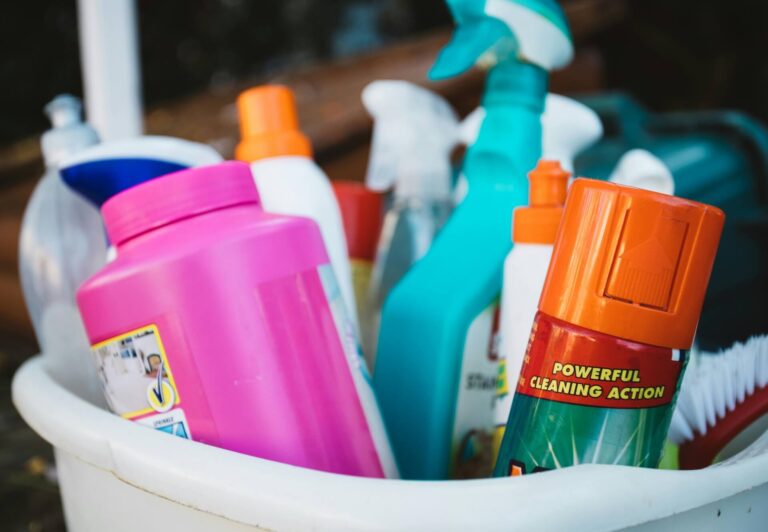
Many household cleaning products, such as glass cleaners containing ammonia or bleach, can cause irreparable damage to modern screen coatings. Always avoid paper towels or tissues, as their wood fibers can create micro-scratches on glass and plastic surfaces over time.
Never spray any cleaner directly onto the screen, as liquid can easily pool at the bottom of the display and seep into the internal housing. Instead, apply the cleaner to a soft, clean microfiber cloth and then gently wipe the surface.
Avoid using harsh scrubbers, sponges, or even old rags that might have trapped dust particles in the fabric. Stick to clean, dedicated microfiber cloths to ensure that you are removing debris rather than dragging it across the screen.
Selecting the right screen sanitizer is less about finding a miracle product and more about choosing a tool that fits the rhythm of your home. Whether you prioritize the speed of a disposable wipe or the long-term protection of a specialized polish, maintaining a consistent habit is the key to keeping your family’s devices clean and clear. By avoiding harsh household chemicals and using the proper applicators, you ensure that your investment in technology remains protected for years to come.